Guide · 5 min read · 6.11.2026
Critical path: priorities, dependencies and a clearer Gantt
See what needs attention, what blocks delivery and how to follow the critical path through a busy Minuttio Gantt with priority, dependency and combined views.
Critical does not simply mean important
In project scheduling, the critical path is the longest sequence of dependent work that sets the earliest possible finish under the plan’s assumptions. If work on that path slips and nothing else changes, delivery can slip too. Priority answers a different question: where should attention go? Seeing both prevents urgent-looking work from hiding a real delivery bottleneck.
1. Priority: what deserves attention first?
When priorities are marked, the priority view connects tasks in priority order, with the smallest number first. Unranked tasks stay outside this line. This is an attention order, not a calculated project completion path: a high-priority task can still be blocked by a prerequisite.
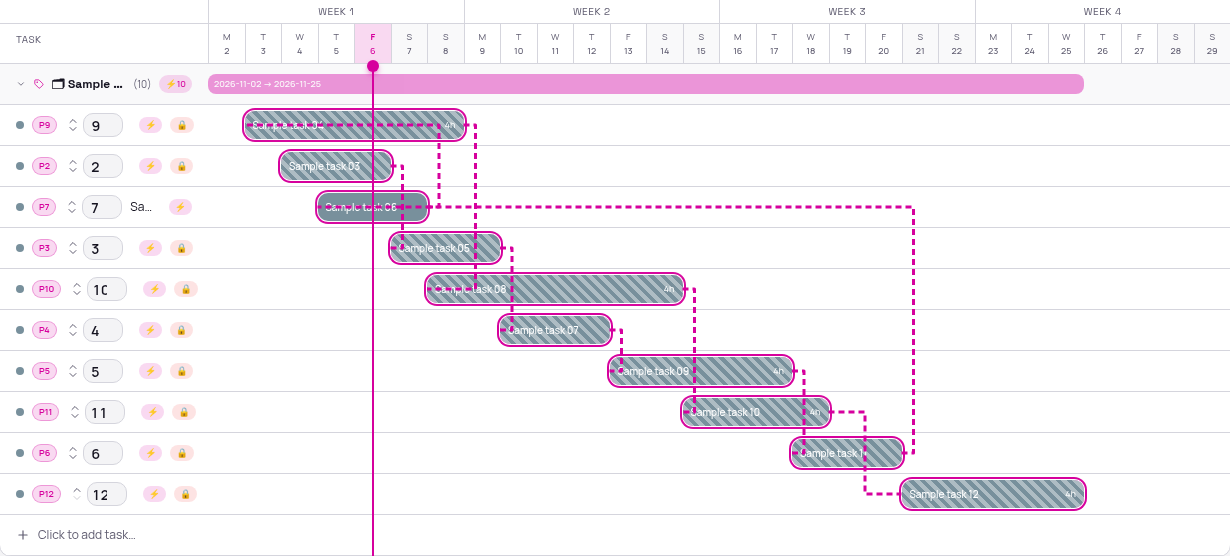
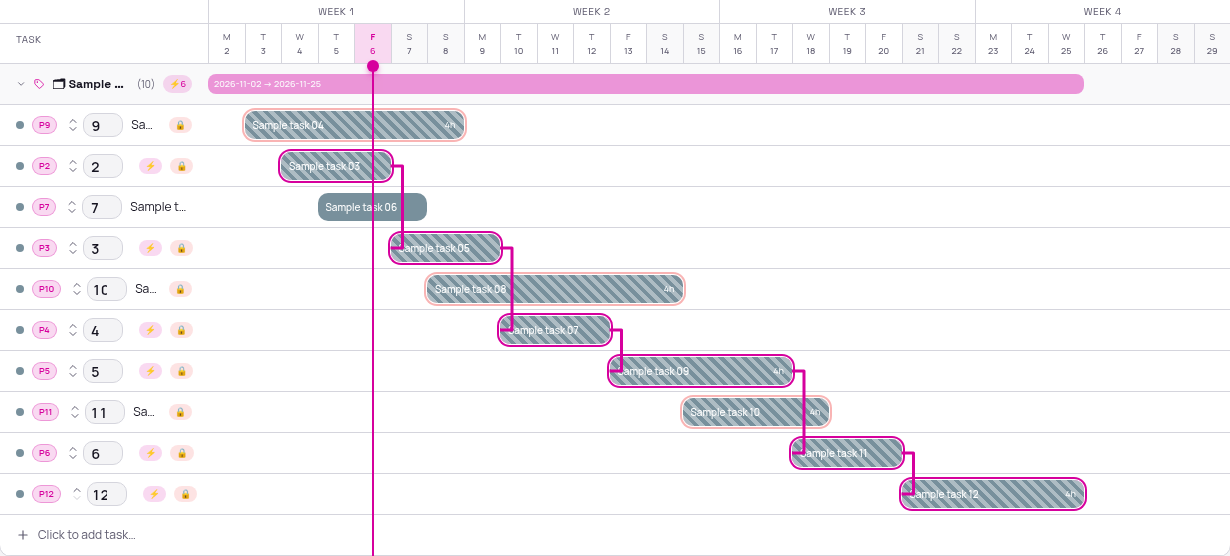
2. Dependencies: what must finish before the next task?
A dependency says that one task is blocked by another. Minuttio follows those prerequisite links and highlights one longest remaining chain, weighted by inclusive calendar-day task durations. The solid line runs from the end of each prerequisite bar to the start of its dependent task. Parallel work stays visible without becoming part of that chain.
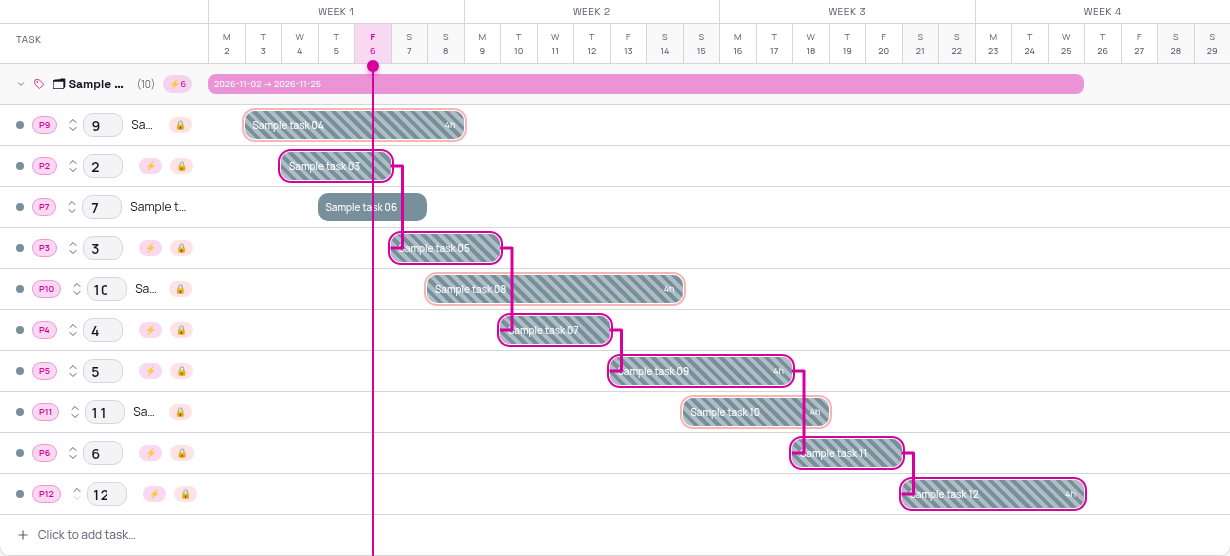
3. Both: protect the sequence, then use priority
The combined view keeps dependencies as the rule. It selects the longest duration-weighted chain and uses marked priorities to choose between equally long chains. A priority never removes a blocker or allows its dependent task to jump ahead. Use this view when several delivery chains need your attention at once.
Read the Gantt without losing the whole project
- Give each task realistic start and end dates. Link prerequisites with “blocked by” in the task editor. Mark priorities when useful.
- Open Gantt, group by Projects for a project-specific view, switch on Critical Path and select Priority, Dependencies or Both.
- Follow the pink line across the bars. Keep parallel tasks visible: a long task list becomes easier to read when one connected route stands out. Use 2W, 4W or 8W to fit the period.
- Review blockers before shifting a deadline. Recheck the path after changing dates, dependencies or priorities. Filters change the visible task scope; they are not a substitute for reviewing the whole project.
A simple example and an honest limitation
Briefing takes 2 days, design 3 days and approval 1 day: the linked chain is 6 days. A separate 4-day content task can run in parallel. Giving that content task priority 1 does not make it a prerequisite for approval. If approval actually needs the content, add that dependency instead of relying on its priority.
Minuttio’s line is a practical remaining-work guide, not a full CPM scheduling engine. It shows one selected chain and does not calculate slack, working-day calendars, resource constraints or every equally critical route. Single-date tasks count as one day; undated and completed tasks are not shown in the Gantt. Circular dependencies cannot produce a valid path. Check dates and capacity before making delivery promises.
All screenshots use fictional work in the real Minuttio Gantt view. No actual customer, project, account or financial data is published.
Continue to the Minuttio guide